![Eleiko_Logo_2021.png]](https://knowledgebase.eleiko.com/hs-fs/hubfs/Eleiko_Logo_2021.png?height=40&name=Eleiko_Logo_2021.png)
Filter contacts and save it as a tab/view
The below video shows how you can filter Contacts and save it as a tab/view. This will also apply for Companies and Deals.
If you want to share the tab/view with your team it will not show up automatically for them but they can find and add the tab/view under Add view > Created by others.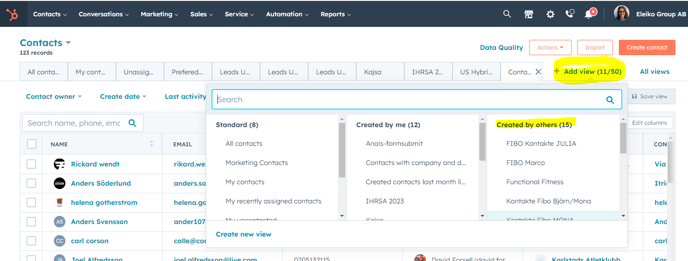
Filter deals on deactivated owner and assign to new owner
The video below shows you how you can filter deals to find the deals of a deactivated owner and assign them to a new owner. This will also apply for Companies and Contacts.