![Eleiko_Logo_2021.png]](https://knowledgebase.eleiko.com/hs-fs/hubfs/Eleiko_Logo_2021.png?height=40&name=Eleiko_Logo_2021.png)
When you first create a Deal in HubSpot you need to fill out the field "Amount". At this stage this is a qualified guess from you as a Sales Rep regarding what you think the quote/order could land on.
After the quote has been created and sent (from pop-up Enterprise) or you have used the "Update amount", the "Amount" field will be updated with the Total Amount from the quote.
The "Amount" field is updated when:
- a quote is emailed (from pop-up Enterprise or Enterprise)
- when you change master quote
- when you use the "Update amount".
- you close the pop-up Enterprise window
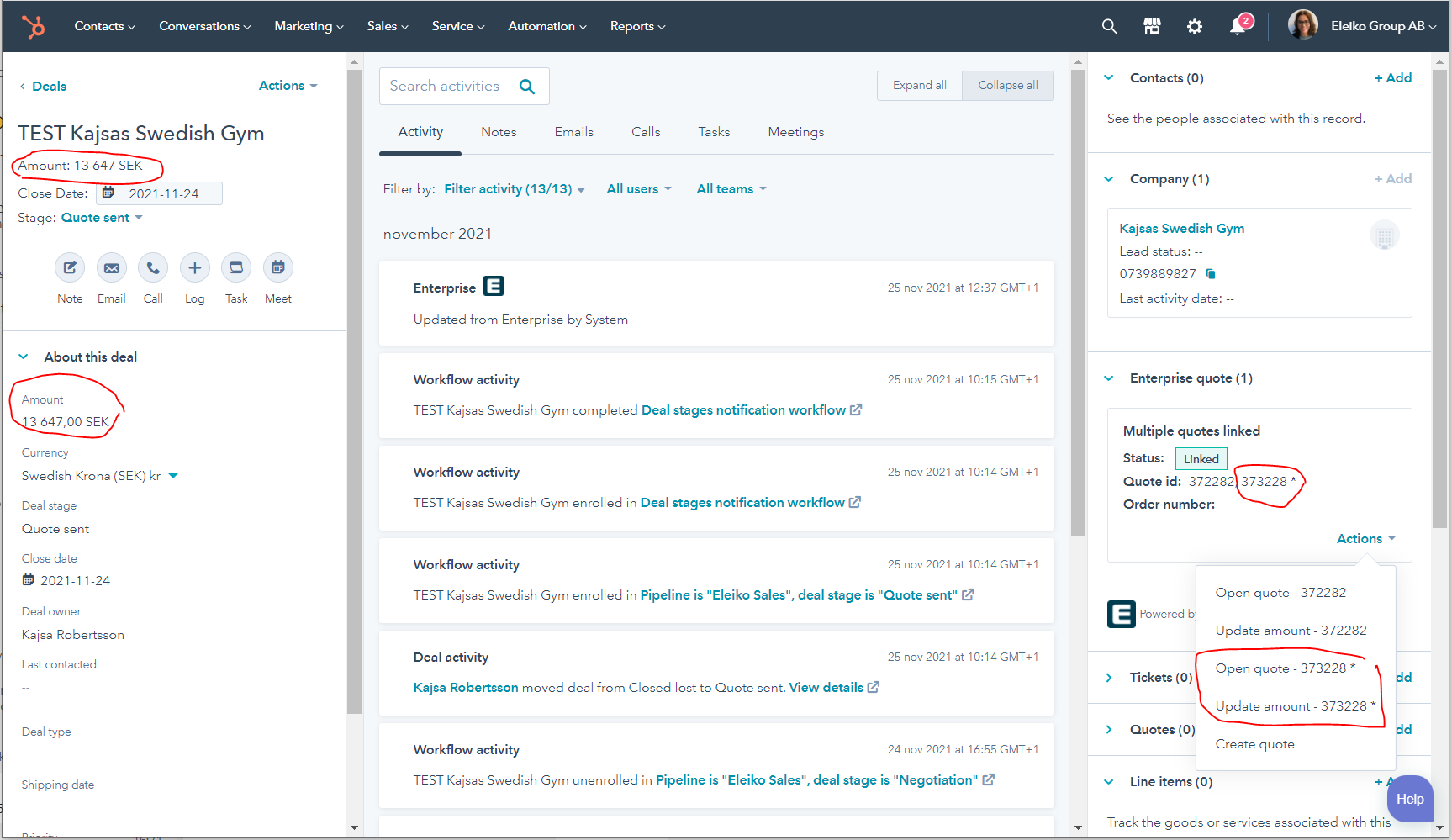
If you have more than one quote you will see a * next to the quote which is the master quote ie which is linked to the "Amount" field.