![Eleiko_Logo_2021.png]](https://knowledgebase.eleiko.com/hs-fs/hubfs/Eleiko_Logo_2021.png?height=40&name=Eleiko_Logo_2021.png)
On the contact in HubSpot there is a section on the left called DISTRIBUTOR if the owner is from one in the Internation team or some of the staff in the marketing team. The field/property "Is Distributor" is what adds them to the Distributor list or not. The field/property "Continent" decides what lists the distributors should be in.
The lists are for sending emails/newsletters as well as the tabs for Gunilla (INT), Rickard Blomberg (USA and Canada) to keep track of the distributors.
ADD A CONTACT
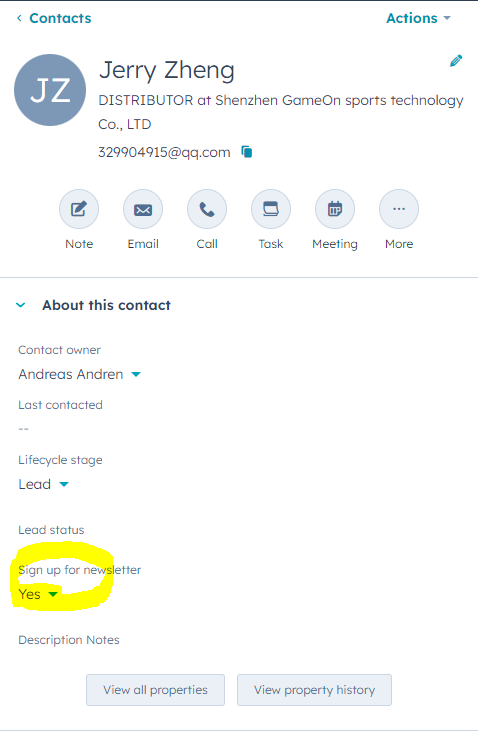
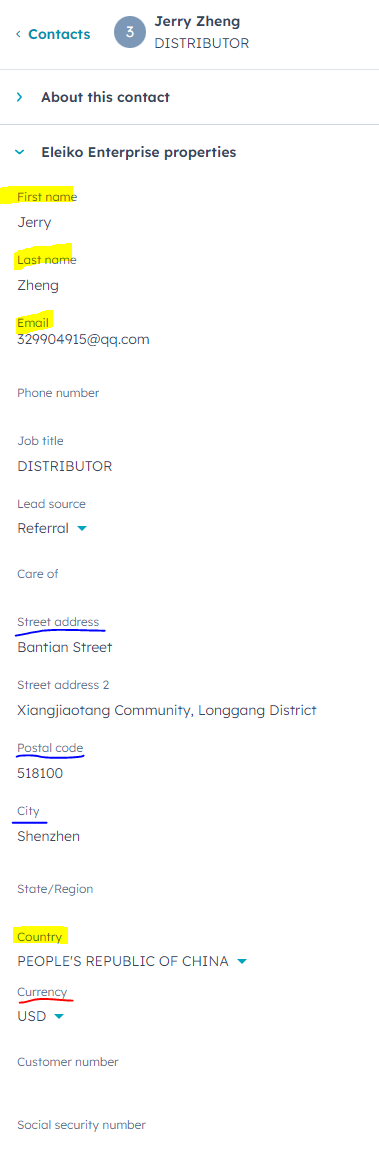
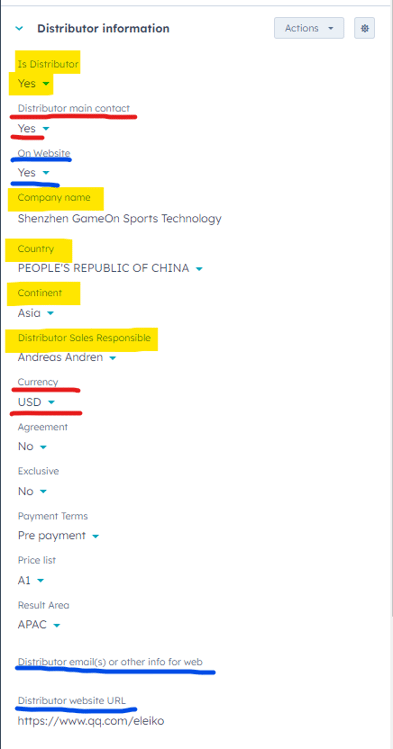
- Mandatory fields for all Distributor contacts are highlighted in yellow below.
- Mandatory fields for Main Distributor contacts are all highlighted in yellow AND underlined with red below.
- Mandatory fields for Distributors that should go up on the Contact Us page on Eleiko's website are are all highlighted in yellow AND underlined with red below AND underlined with blue below.
AUTOMATIC EMAILS
If the field "Is Distributor" is changed an email will go to marketing@eleiko.com and tells them if they should delete or add the contact to the toolkit.
If the field "On website" is changed to "Yes" or from "Yes" to "No" an email is sent to web@eleiko.com and tells them if they should delete or add the contact/company on the website.
If the field "Is Distributor" is set to "No" and the contact also has "On Website" = "Yes", "On website" will automatically be set to "No".
DISTRIBUTORS FOR THE WEBSITE
"On website" = "Yes"
This field can be updated on the Contact page: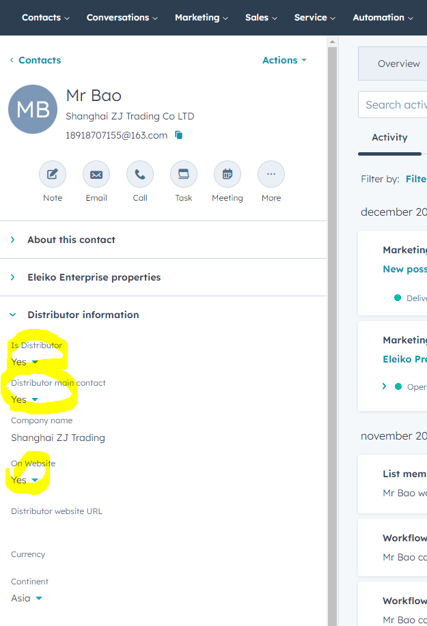
Or directly by clicking in the filed "On Website" on the tab INT Distributors or USA Distributors.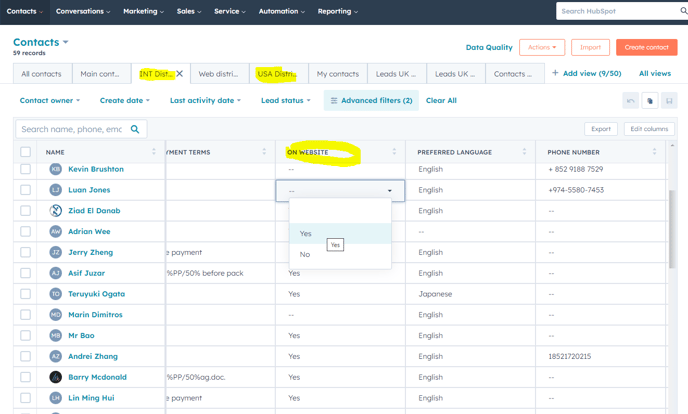
Make sure to update all mandatory fields in the list before clicking save on the bottom right of the screen to make sure all information will be included in the automatic emails.