![Eleiko_Logo_2021.png]](https://knowledgebase.eleiko.com/hs-fs/hubfs/Eleiko_Logo_2021.png?height=40&name=Eleiko_Logo_2021.png)
Permissions to View
Go to your Eleiko Outlook and follow the below steps:
1. Right click on Shared Calendars > Add Calendar > Open Shared Calendars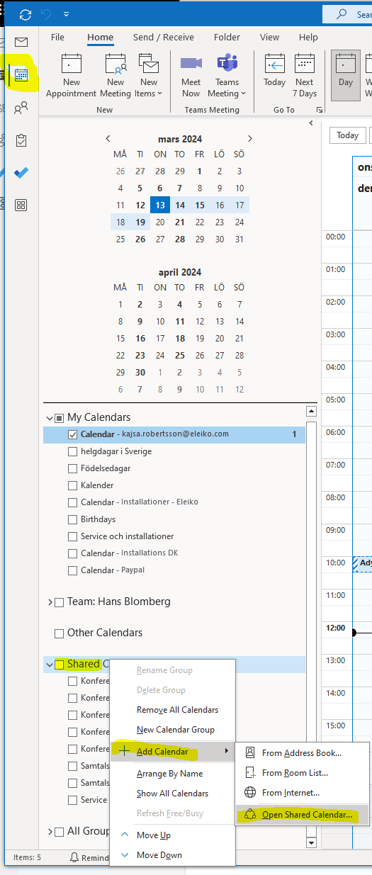
2. Click on Name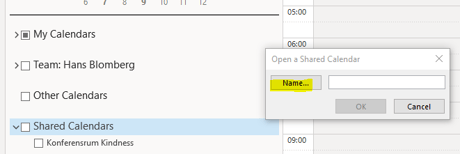
3. Search "Eleiko - " or scroll down in the list and select the calendar you need and press OK 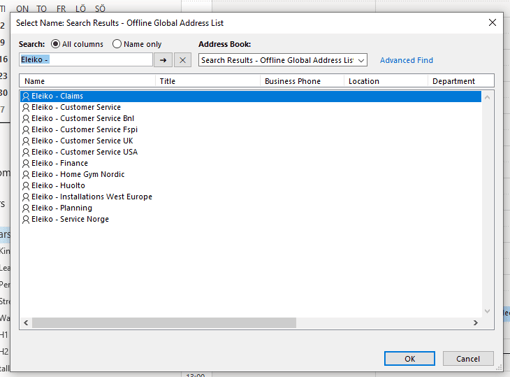
4. The calendar will now show up under Shared Calendars in your Outlook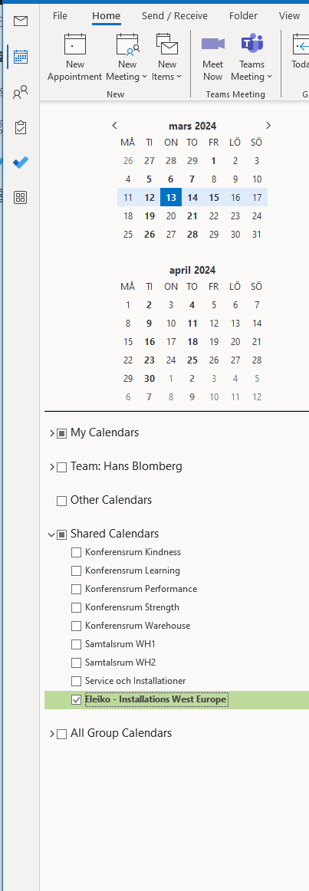
Permissions to Edit and View
If you are a person who should be able to edit the calendar please ask your manager and he/she will ask Tech (Kajsa Robertsson) for permissions.
You will then receive an email and in this email click "Approve". When this is done you will see the calendar under Shared Calendars (see image above)