![Eleiko_Logo_2021.png]](https://knowledgebase.eleiko.com/hs-fs/hubfs/Eleiko_Logo_2021.png?height=40&name=Eleiko_Logo_2021.png)
For Newsletters you should use the lists in the folder "Newsletter lists"
These lists are based on different preferences the contacts have.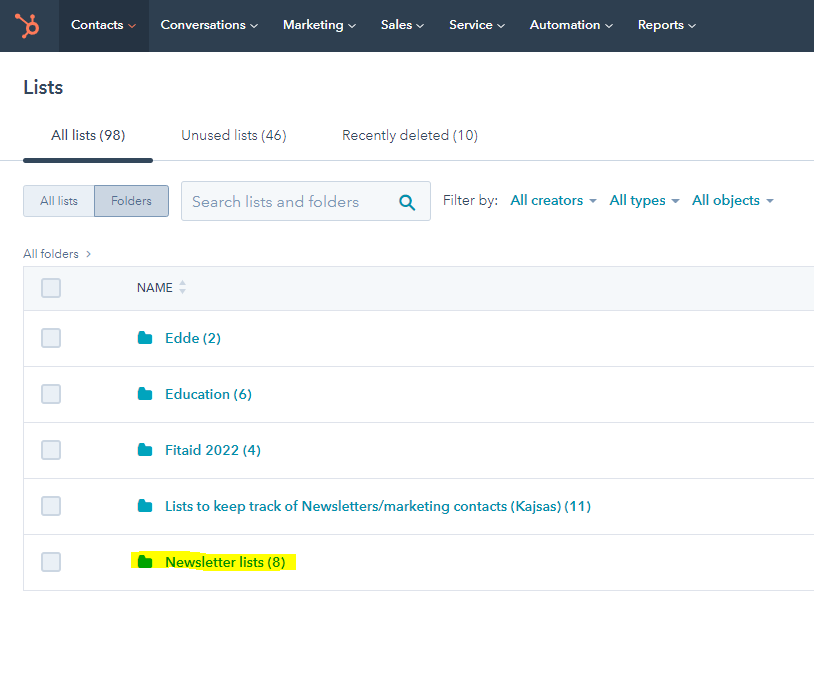
All lists in this folder are ACTIVE lists which means that any new contacts that sign up for the newsletter (or new customers) gets added to these lists if they have the correct preference ie language/private vs commercial/country...
PREFERRED LANGUAGE LISTS
All languages which we send the regular newsletter to has their own lists. 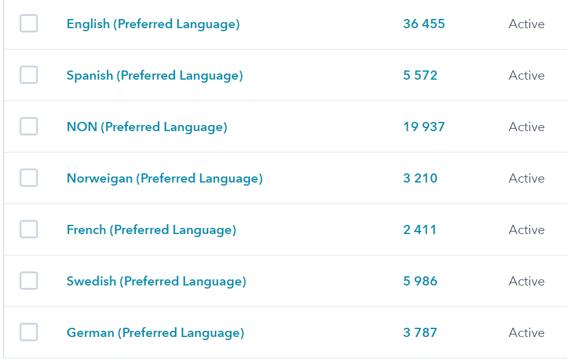
For example in the "French (Preferred language)" you can find all contacts that has signed up for the newsletter and has selected that they prefer French as their language. 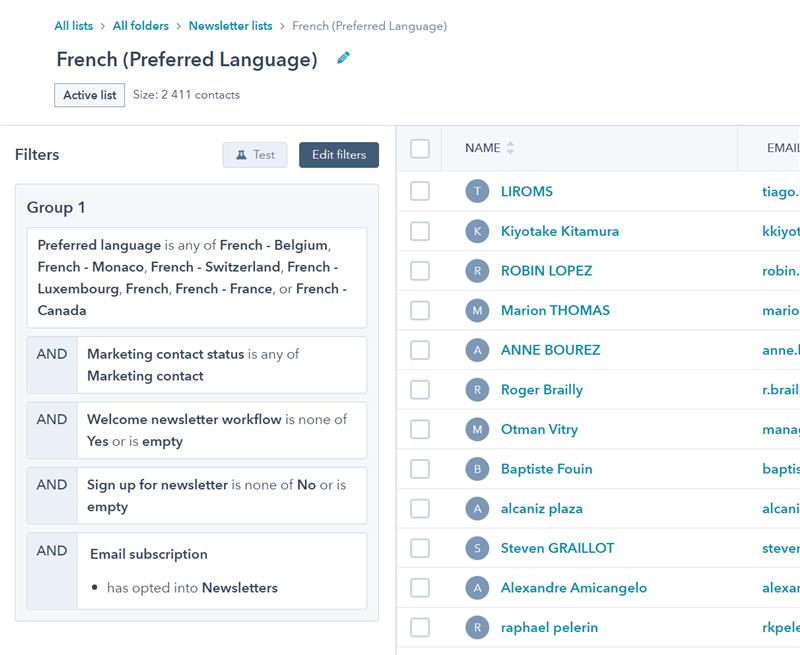
The list called NON (Preferred langauge) is all contacts that has unknown preferred language.
If you want another language to send a separate email to it is possible to set up lists for these as well. Ask Kajsa or copy one of the Preferred language lists and change the language.
COMMERCIAL VS PRIVATE LISTS
The list "French (preferred language) - COMMERCIAL" on the other hand, include all users that has selected preferred language FRENCH but also are marked as "Equipment for: Commercial" or not saved as Segmentation PP (Private person) from Enterprise
The list "French (preferred language) - PRIVATE" is for the users that prefer FRENCH but are the contacts marked as private customers instead.
So you can use these lists for example if you want to send a newsletter/email only to Private customers regarding Home Gym.
COUNTRY LISTS
Some lists are also built on Country rather that language. It means that the list has filtered out all contacts that has a specific country. This means all that lives in France. In these lists we are not looking at the language.
OTHER/YOUR OWN LISTS
You can also send marketing emails to your own set of contacts by building a list/using set of contacts that was imported together/contacts that has filled out a form etc.
If unsure do not hesitate to ask Kajsa for help.
Here is a link to HubSpots own documentation: https://knowledge.hubspot.com/email/create-marketing-emails-in-the-drag-and-drop-email-editor#send-or-schedule-your-email