![Eleiko_Logo_2021.png]](https://knowledgebase.eleiko.com/hs-fs/hubfs/Eleiko_Logo_2021.png?height=40&name=Eleiko_Logo_2021.png)
To change this:
- Go to Sales > Deals.
- Hover over the amounts at the bottom of the board, then click View in your preferred currency.
- Select your currency in the right panel, then click Save. The amounts will now be displayed in your selected currency.
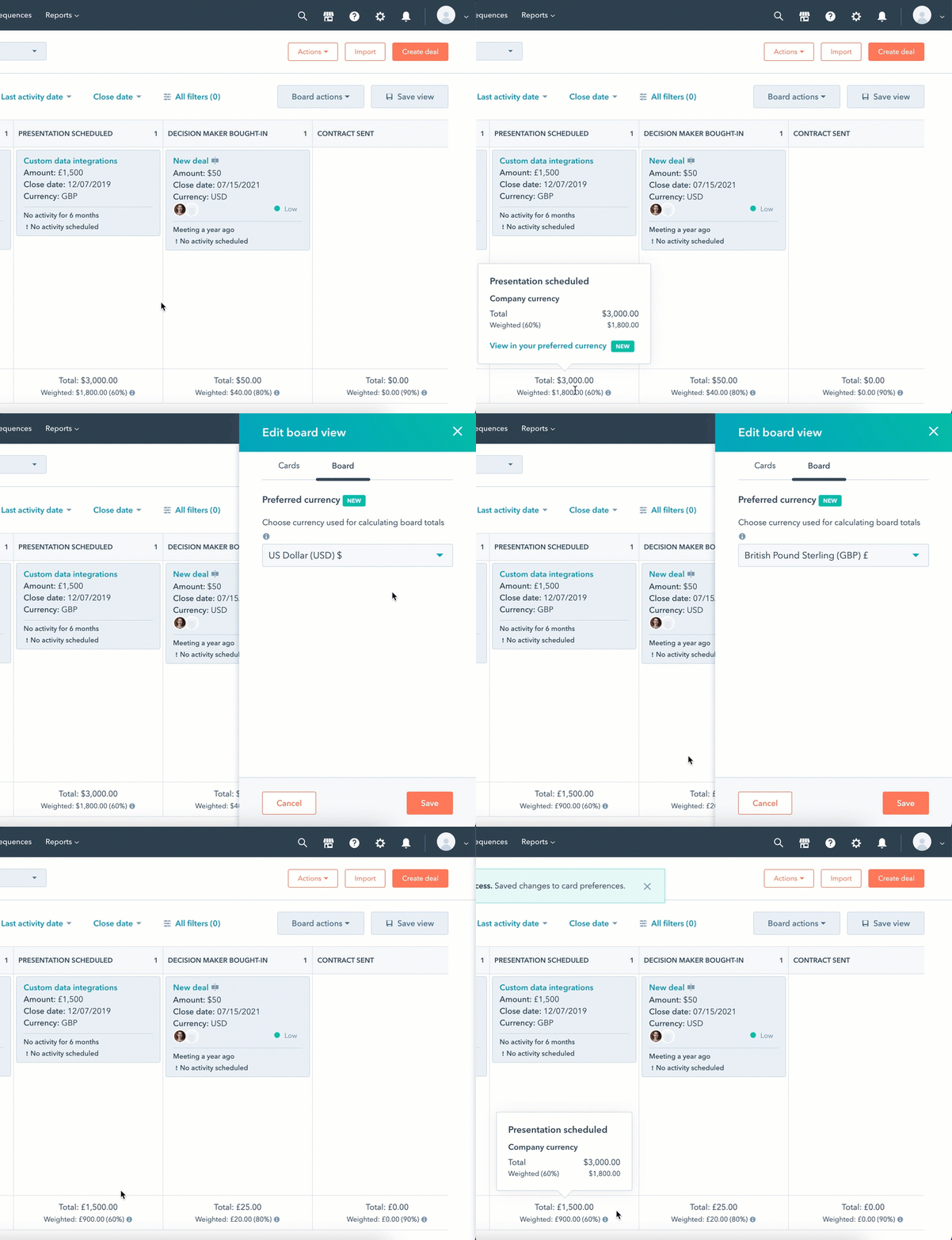
- To view the amounts in company currency instead (SEK at Eleiko), hover over the Total amount and view the company currency in the pop-up box.
- To select a different currency or revert back to the company currency, click the Board Actions dropdown, then select Edit board. In the right panel, select a currency then click Save.