![Eleiko_Logo_2021.png]](https://knowledgebase.eleiko.com/hs-fs/hubfs/Eleiko_Logo_2021.png?height=40&name=Eleiko_Logo_2021.png)
With HubSpot, unfortunately it is the same rule as with Enterprise only, that you can only work with one Quote at the same time. The pop-up window behaves as Enterprise and is saving information about the quote in the session of the browser which means if you have two quotes open at the same time the system will get them mixed up.
DO NOT work with/look at more than one quote at the same time. Look at one quote in Enterprise pop-up window in HubSpot OR (not and) one Enterprise window.
Problems that can occur is that you send the wrong quote to the wrong customer or that the wrong information gets updated in the wrong quote.
Enterprise pop-up window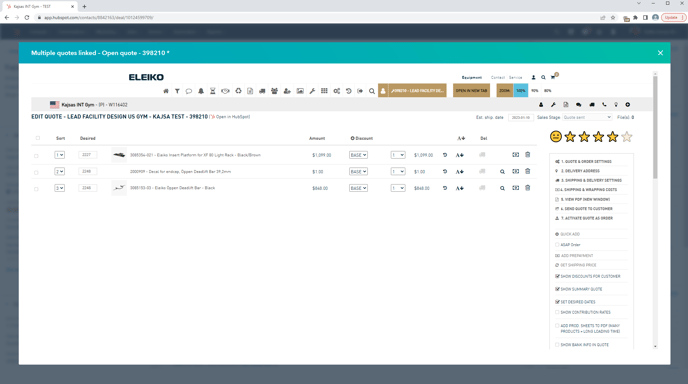
Enterprise 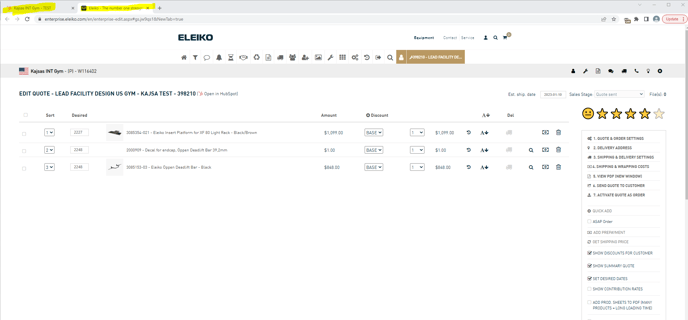
Possible solutions
If you really need to have more than one quote open at the same time you have to be really careful and understand the options, but you do have two possible solutions:
1. Use two different browsers for example Chrome and Firefox. (Note: NOT two windows of the same browser.)
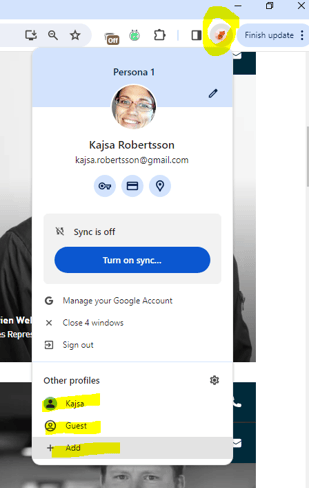
2. Create several different profiles in Chrome. Read more about this here: https://support.google.com/chrome/answer/2364824?