![Eleiko_Logo_2021.png]](https://knowledgebase.eleiko.com/hs-fs/hubfs/Eleiko_Logo_2021.png?height=40&name=Eleiko_Logo_2021.png)
Most users/Strictly HubSpot users
Learn how to create and link quotes here: Create and link a quote for a deal.
In HubSpot
Go to the deal related to this quote or Create the Deal if you have not done so already.
The deal needs to be linked to a customer which is linked to a customer in Enterprise.
Go to Actions > Link existing quote.
.png?width=688&name=MicrosoftTeams-image%20(45).png)
This will open up an Enterprise pop-up window where you can select the quote you want by clicking the orange plus sign in the left hand column. If there is no plus sign and instead a HubSpot logo this means that the quote is already linked to a HubSpot deal.
.png?width=688&name=MicrosoftTeams-image%20(46).png)
Unlink a quote from a deal
Open up the quote in the Enterprise pop-up window (or in Enterprise).
Expand menu > Remove link from HubSpot deal.
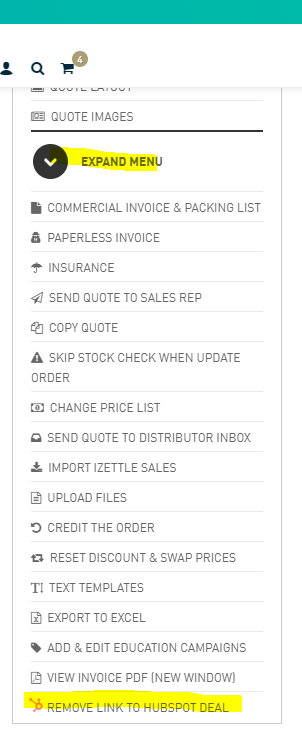
Video: remove link to Enterprise quote/HubSpot deal
In Enterprise
If you would like to do the linking of an existing quote to a deal in HubSpot from Enterprise instead.
Video: link a quote manually from Enterprise to a deal in HubSpot.