![Eleiko_Logo_2021.png]](https://knowledgebase.eleiko.com/hs-fs/hubfs/Eleiko_Logo_2021.png?height=40&name=Eleiko_Logo_2021.png)
If you only can win one of the quotes: add all to one deal
If you can win all quotes: add one deal for each quote
To link a second quote to your deal simply select Create quote again.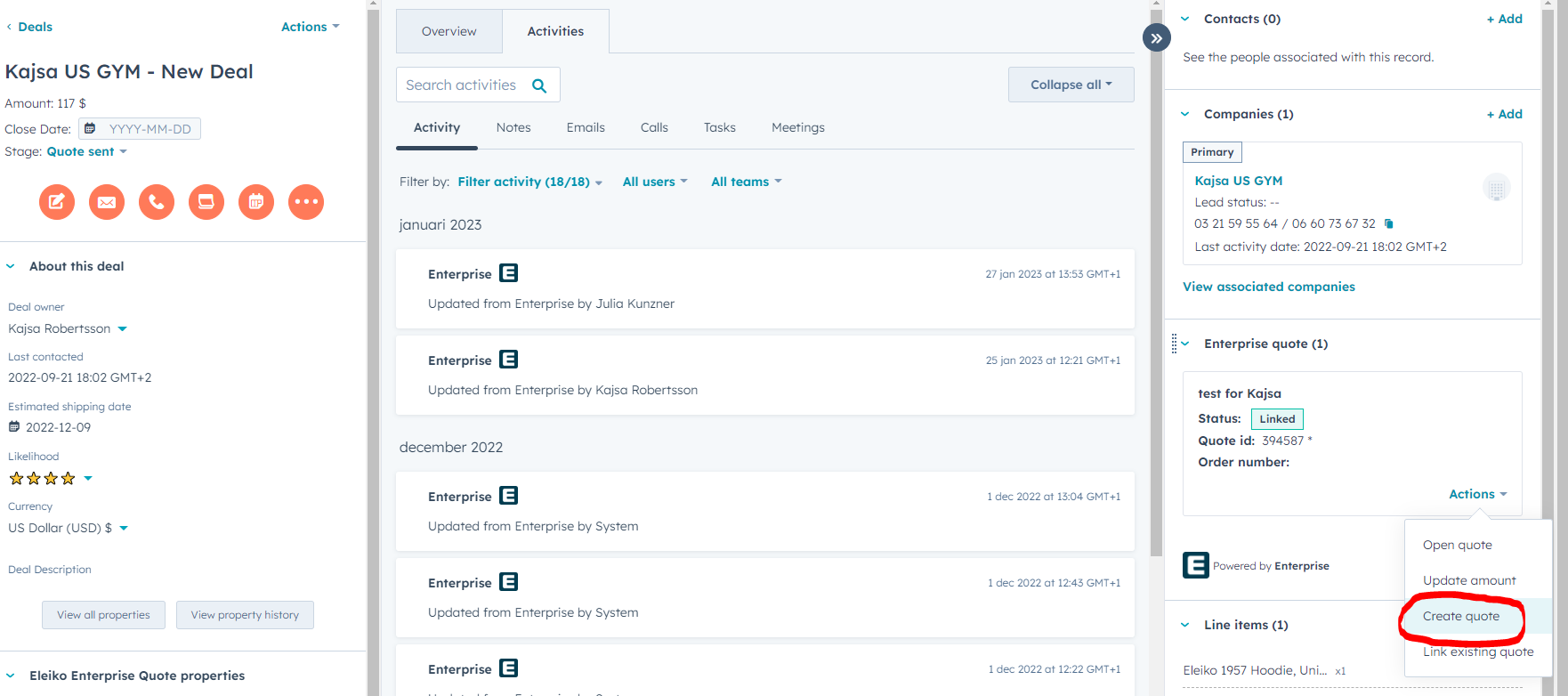
This last created/linked Quote will now be set as master quote. This is indicated with a * next to the Quote number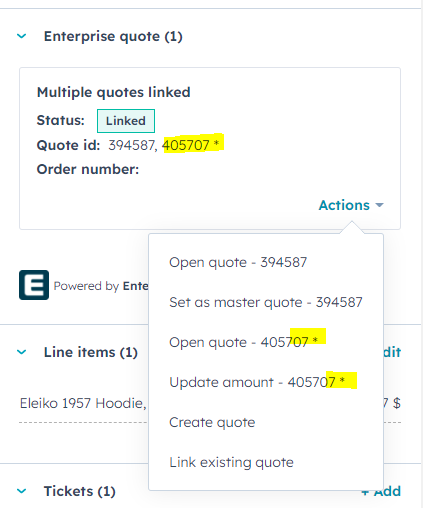
The master quote is the quote that will set the Amount on the deal/pipeline and the one that will be used for calculations by supply chain etc. Always pick the quote that you believe is most likely to win.
The master quote of the deal should be the one with the highest change to win.
Read more in this article how the Likelihood works if you have multiple quotes.
When you activate one of the quotes as order, the system will put the deal to "Closed won" and the activated quote will be the master quote and will be sent to "Closed won". Any other non-master quotes will be set to "Not used" in Enterprise.
If you lose the whole deal and move it to "Closed lost" the master quote will be set to "Closed lost" and any non-master quotes will be set to "Not used" in Enterprise
This means Eleiko will have 100% correct data, and also your personal won/loss ratio is correct if you set up one deal with multiple/master quote.