![Eleiko_Logo_2021.png]](https://knowledgebase.eleiko.com/hs-fs/hubfs/Eleiko_Logo_2021.png?height=40&name=Eleiko_Logo_2021.png)
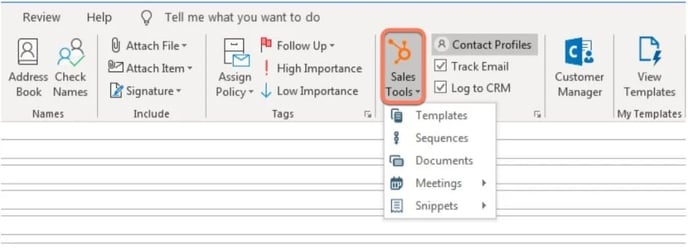
If you have selected "Log to CRM" (se below) note that all emails EXCEPT @eleiko.com* will be tracked in HubSpot. All emails will be available on the contact in HubSpot if these check boxes are selected in your Outlook. Untick these for any emails you do not want in HubSpot or add them to your "Never log list"
*New setting since 2023-07-31: No @eleiko.com emails will be logged
You can send emails to your contacts from within HubSpot but you can also use your Outlook but log the emails to HubSpot to keep a record of all past communication for you and your team to reference.
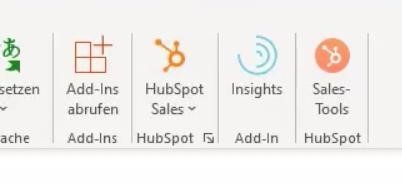
To log emails you send from Outlook you must make sure you install the Microsoft Outlook add-ins (go to this article to read more) and connect it to your Microsoft account. This can all be done in your settings in HubSpot. And if it this went down successfully you should see these two orange buttons: HubSpot Sales and Sales-Tools.
Log Outlook emails
Video: Log emails from Outlook
If you see an email adress gets added to the bcc that is correct.
Manage your personal Never Log list
You can add email addresses and domains to your own personal never log list in your email preferences:
- In your HubSpot account, click the settings settings icon in the main navigation bar.
- In the left sidebar menu, navigate to General.
- Click the Email tab.
- In the Never Log section, click Add emails or domains.
- In the dialog box, enter one or more email addresses or domains:
- To never log emails sent to a specific recipient, enter the email address as emailaddress@domain.com (e.g., name@hubspot.com).
- To never log emails sent to any recipients with a specific domain, enter the domain as *@domain.com (e.g., *@hubspot.com).
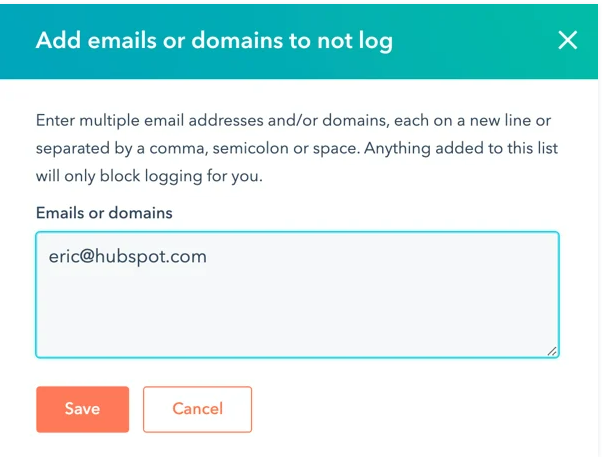
- Click Save.
- To remove an email address or domain from the Never Log list, hover over it and click Remove.
you can add a maximum of 500 email addresses/domains to your personal Never Log list.
Track emails
Note: To be able to track emails you have to have a Paid Seat. Most of you do not have this feature but you can still log emails.
When you send a tracked email, HubSpot embeds an invisible one-pixel image into the email message once it is sent. When your recipient views the email and the images load, you will receive a notification that the email has been opened. You can watch the guide on how to track emails here How to track emails or you can read the guide below.
Note: It’s not possible to see whether a tracked email was forwarded to another recipient.
If you want to track an email you first create a new email, and you must make sure that these buttons are selected. So “Tracking e-mail” and “protocol CRM”. And you can be sure that it’s activated as soon as it shows the bcc.
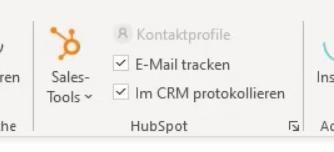

As soon as this email has been sent it will be tracked and a lot of the activities will be tracked. So if a customer or client opens up a tracked email you get a notification down in the bottom or you get a notification on ypur iPhone outback.
To see the clicked emails you can select Hubspot Sales and click Notifications. And what you get is like a timeline of all of the activities and tracked emails you have sent.
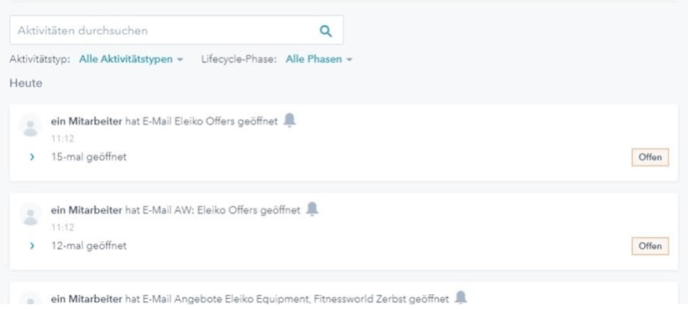
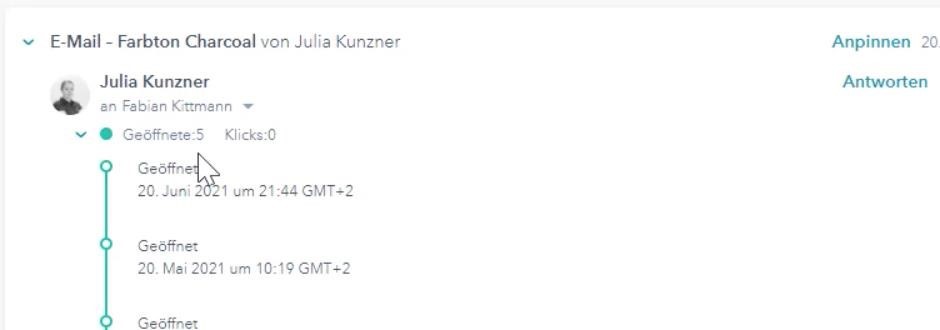
To see further information, you can unfold underneath the date and the information about when it has been opened, what time etc will show.
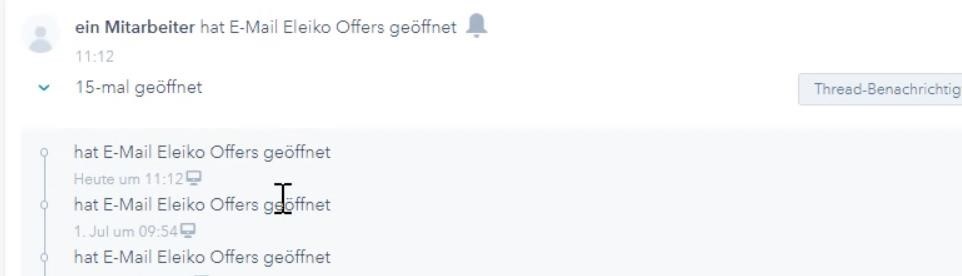
This is a good tool to make sure that the client got the email because sometimes the email or quote you have sent can get stuck in spam folder. It is also a good tool for you to see when you should take further action. For example, if a client has opened an email three times maybe it’s time to give them a call to see the current situation about what you sent.
You can also see activities through an existing business. Enter the business you want to have a look at and then you will see all activities and all the emails that have been sent.

For example, you can unfold emails that you have tracked and see if and how many times it has been opened. You can also see how many clicks have been made if you have inserted any links to your email.